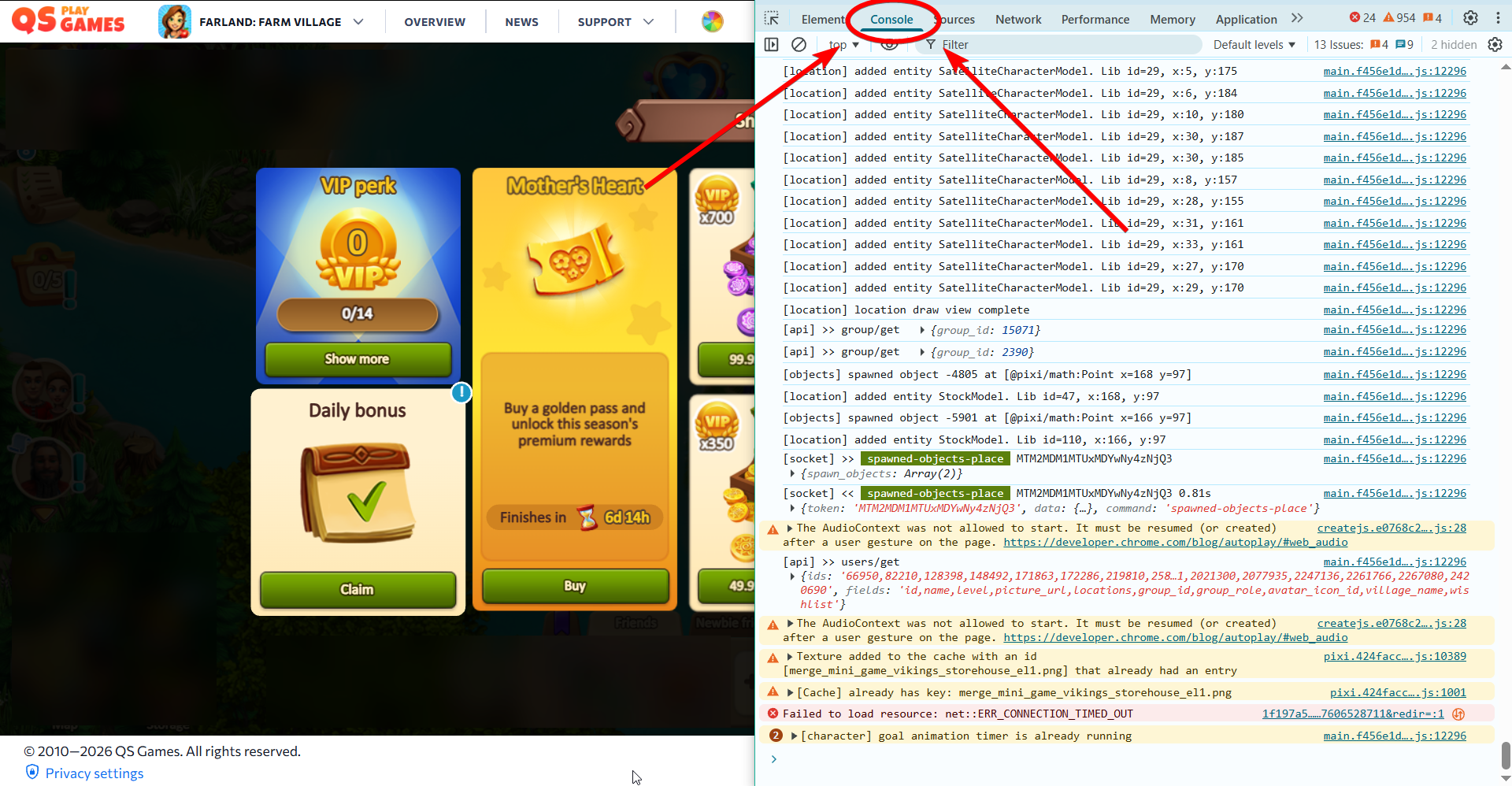
Sometimes support may ask you to open the browser console. Don’t worry — this is a standard and safe procedure.
What is the console?
The console is a special window in your browser that shows technical information about how a website works. It may display errors that cause the game to work incorrectly or not load at all. This information helps our team find and fix the issue faster.
Important before you start
- First, open the game in your browser
- Wait until the issue appears
- Only then open the console so it captures the game data
How to open the console
The easiest way for most browsers:
Press F12
Google Chrome
- Press F12
or - Right-click → Inspect → Console tab
Mozilla Firefox
- Press F12
or - Right-click → Inspect → Console
Microsoft Edge
- Press F12
or - Right-click → Inspect → Console
Opera
- Press F12
or - Right-click → Inspect → Console
Safari (Mac)
- Enable Developer menu:
Settings → Advanced → enable Show Develop menu - Then:
- Press Option + Command + C
or - Develop → Show JavaScript Console
- Press Option + Command + C
What to do next
- Open the console
- Take a screenshot (especially of red errors)
- Send it to support
- To close the console, press F12 again.