
Another fundamental way to express your personality is to use your unique name! Whether it’s your own or a creative nickname, your identity in the game starts here.
To change it, follow these simple steps:
Open your Profile: Tap on your avatar located in the top left corner of the screen.

Select the Icon: Choose the first icon with the face to access your character settings.
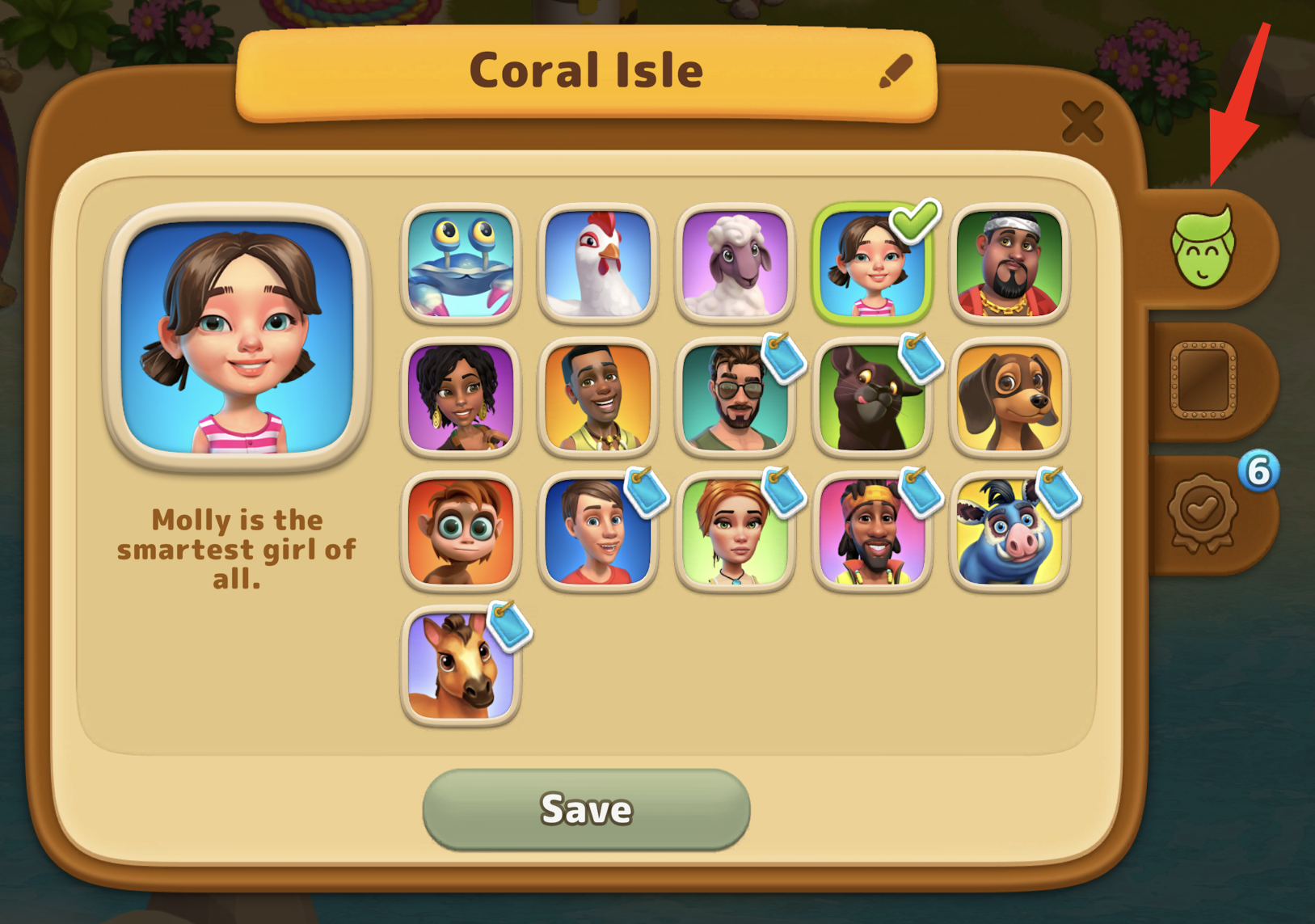
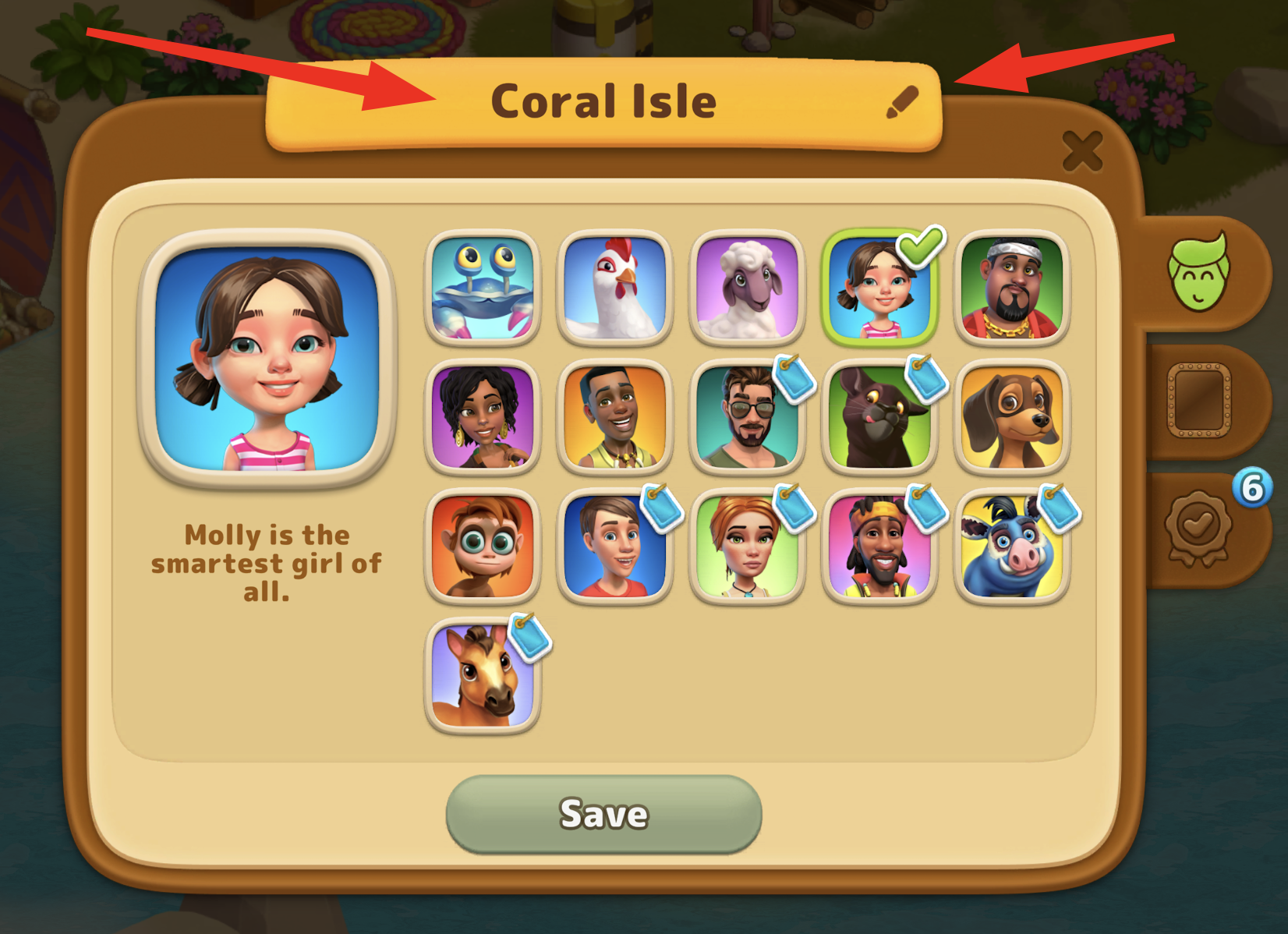
Locate your Name: You will see your current name displayed right above your avatar in the center.
Open the Rename Pop-up: Tap on the name, and the "Your name" pop-up window will appear.
Enter your New Name: Type your new cool name in the field. Once you’ve entered it, the Save button will turn green.
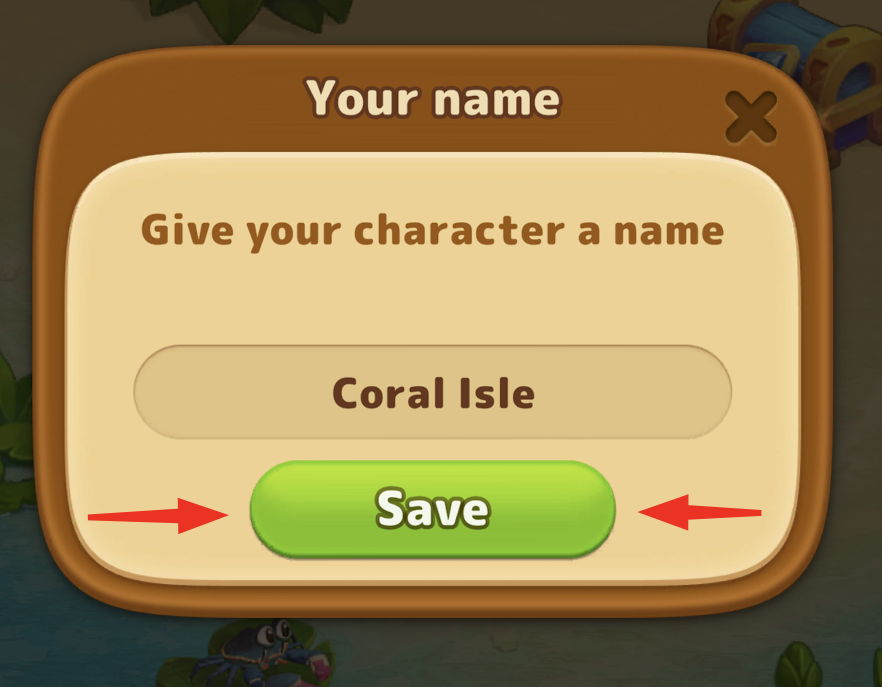
Confirm the Change: Press the green button. It will turn grey, which means your name has been successfully updated.
Well done! Now you’re ready to continue your journey with a fresh identity.